Base de conocimientos
How to reinstall OS of the VPS Imprimir este artículo
In this tutorials we are going to see , how to reinstall os of the VPS that you have purchased from us .
Go to Client Area > VPS Product > You will see VPS Control panel .
After wards click "Install" > Select OS . > Set New Password > Click Reinstall Button .
For Windows OS you need to use plain texts and numbers only for the password. Non Alphanumeric characters (~!@#$%^&*()_+=-:">?) will not support as Windows OS VPS password.
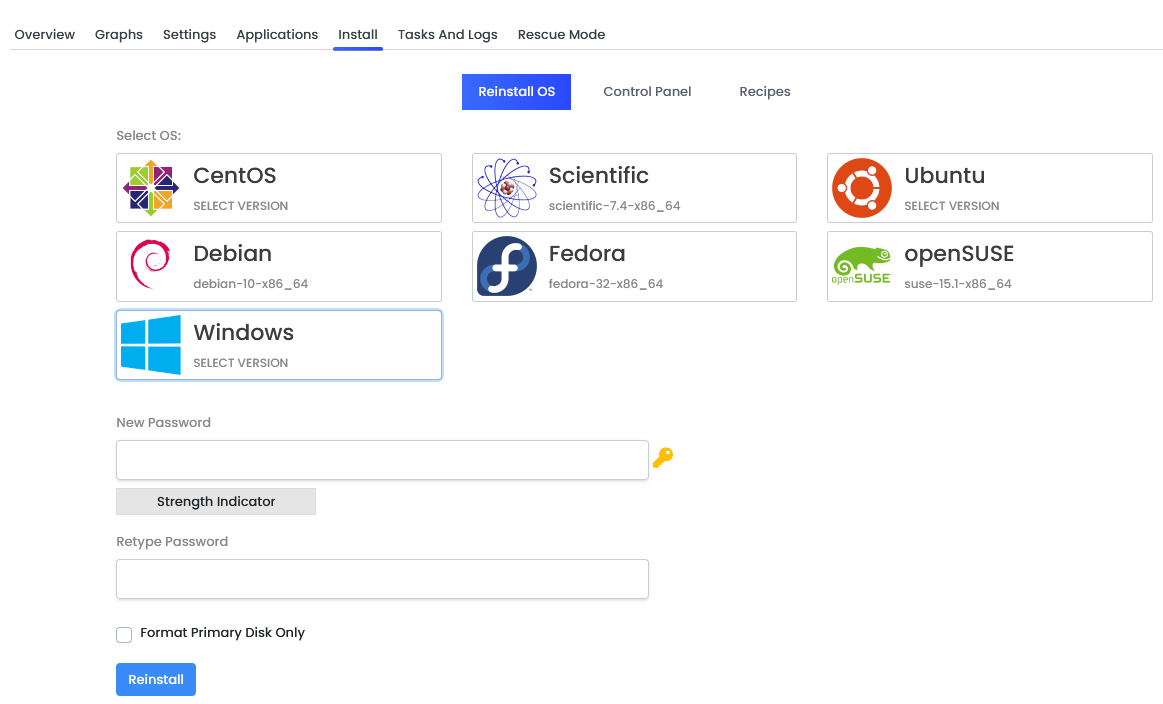
Step 1: Login to your VPS Panel .
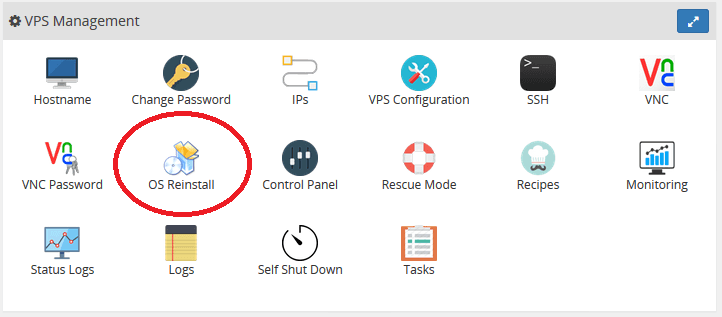
Step 2: Click on OS Reinstall.
Step 3: Choose the OS of your Choice.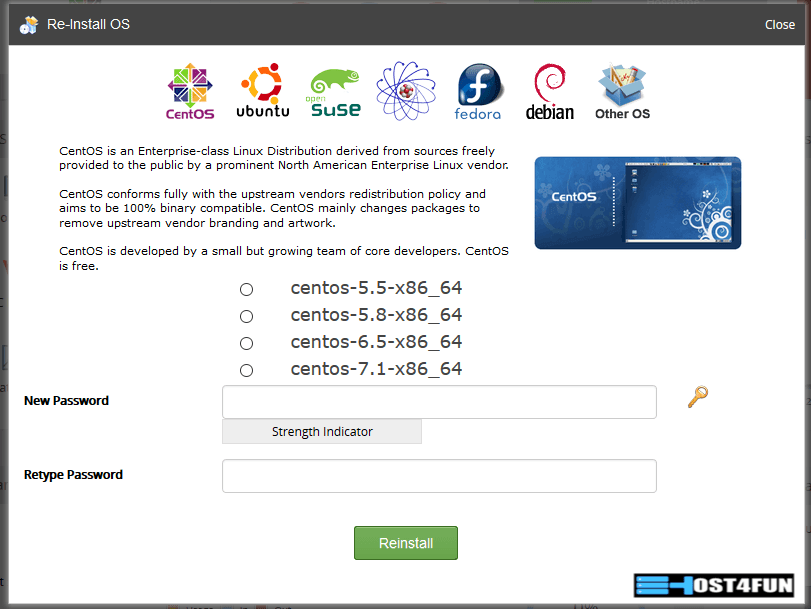
Step 4 : Put your desire password .
Step 5 : Click Reinstall Button .
Step 6 : You need to wait few minutes before the reinstall is completed .
¿Le ha resultado útil esta respuesta?
Artículos relacionados
How To Activate Windows Server 2012 R2 Trial License
Hi Thank you for choosing service from Host4Fun . Go to run > cmd > slmgr.vbs /rearm and...
Hi Thank you for choosing service from Host4Fun . Go to run > cmd > slmgr.vbs /rearm and...
How to enable ping response on Windows Server 2008
By default Windows Server 2008 firewall blocks ping requests. To enable please follow the...
By default Windows Server 2008 firewall blocks ping requests. To enable please follow the...
How to enable ping response on Windows Server 2012
By default Windows Server 2012 firewall blocks ping requests. To enable please follow the below...
By default Windows Server 2012 firewall blocks ping requests. To enable please follow the below...
How to fix CentOS 6 : YumRepo Error: All mirror URLs are not using ftp, http[s] or file.
Hi , Thank you for choosing Service from Host4Fun.Com. When we run command "yum update" on our...
Hi , Thank you for choosing Service from Host4Fun.Com. When we run command "yum update" on our...
How to fix CentOS 6 error
For Guide Visit :...
For Guide Visit :...
