مرکز آموزش
Basic Linux Commands پرینت این مقاله
Basic Linux Commands With Examples
Linux, a powerful and secure operating system, is popular among developers, system administrators, and everyday users alike. Understanding basic Linux commands is essential for navigating the system effectively. This article serves as a comprehensive guide to essential Linux commands, including explanations, examples, and advanced usage.
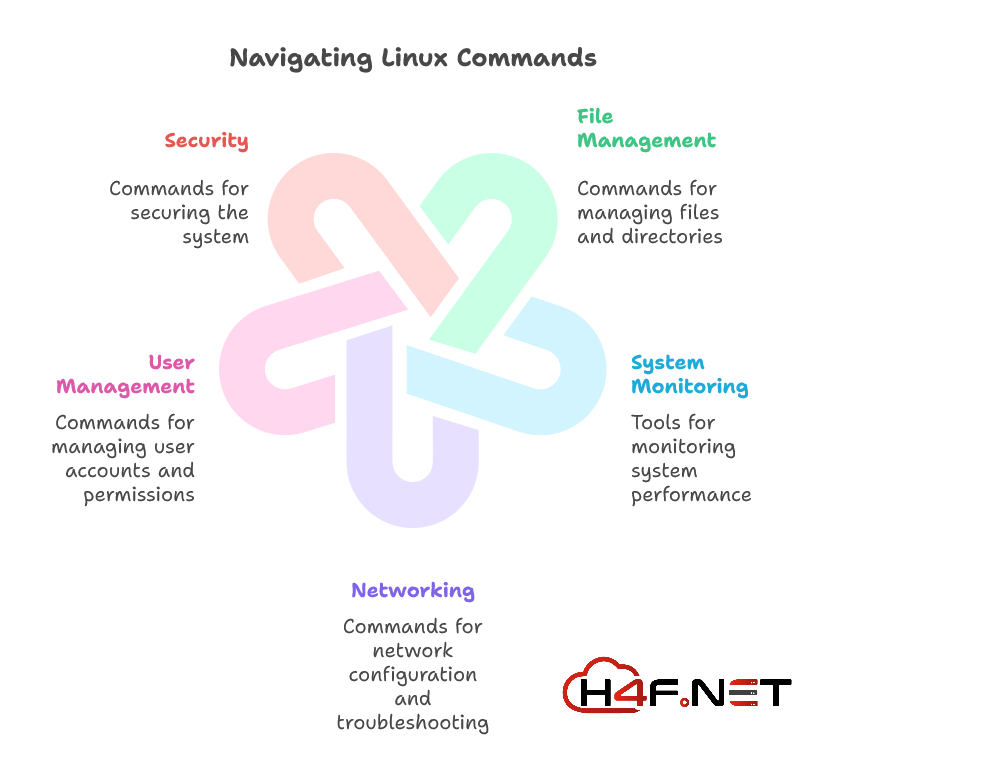
1. What are Linux Commands?
Linux commands are text-based instructions that you can enter into a terminal or command-line interface (CLI) to perform specific tasks. These commands allow users to manipulate files, manage system resources, configure network settings, and much more without the need for a graphical user interface (GUI). The ability to issue commands directly gives users powerful control over their system.
2. What is a Command-line Interface (CLI)?
A Command-line Interface (CLI) is a user interface that allows users to interact with a computer's operating system or software by typing commands. Unlike graphical user interfaces, where users click buttons and icons, CLIs require users to memorize and input text-based commands. While this may seem daunting, the CLI provides tremendous flexibility and efficiency, especially for performing repetitive tasks or managing multiple systems.
3. Basic Linux Commands Cheat Sheet
Here’s a quick overview of commonly used Linux commands, along with their syntax and examples:
| Command | Description | Example |
|---|---|---|
ls |
List directory contents | ls |
cd |
Change directory | cd /home/user |
pwd |
Print working directory | pwd |
cp |
Copy files or directories | cp source.txt destination.txt |
mv |
Move/rename files or directories | mv oldname.txt newname.txt |
rm |
Remove files or directories | rm file.txt |
mkdir |
Create a new directory | mkdir new_directory |
rmdir |
Remove an empty directory | rmdir empty_directory |
man |
Read the manual for a command | man ls |
4. Advanced Linux Commands List
Advanced Linux commands allow users to perform more complex tasks:
| Command | Description | Example |
|---|---|---|
grep |
Search text using patterns | grep 'text' file.txt |
find |
Search for files in a directory | find /path -name filename.txt |
chmod |
Change file/directory permissions | chmod 755 script.sh |
chown |
Change file ownership | chown user:group file.txt |
tar |
Archive files | tar -czvf archive.tar.gz /folder |
5. Networking Linux Commands
Networking commands in Linux help you manage network settings and troubleshoot issues:
| Command | Description | Example |
|---|---|---|
ifconfig |
Configure or display network interfaces | ifconfig |
ping |
Check connectivity to a host | ping google.com |
netstat |
Display network connections and routing table | netstat -rn |
ssh |
Remote login to another system | ssh user@host |
wget |
Download files from the web | wget http://example.com/file |
6. Linux File Management Commands
File management is crucial for maintaining a clean system:
| Command | Description | Example |
|---|---|---|
cat |
View the contents of a file | cat file.txt |
head |
View the first few lines of a file | head -n 10 file.txt |
tail |
View the last few lines of a file | tail -n 10 file.txt |
touch |
Create an empty file or update timestamp | touch newfile.txt |
7. Linux System Monitoring Commands
Monitoring system performance is essential for optimal operation:
| Command | Description | Example |
|---|---|---|
top |
Displays active processes | top |
htop |
Interactive process viewer | htop |
df |
Display disk space usage | df -h |
free |
Display memory usage | free -m |
8. Linux Security Commands
Security is a vital aspect of Linux administration:
| Command | Description | Example |
|---|---|---|
passwd |
Change user password | passwd user |
chmod |
Change file permissions | chmod 600 secret.txt |
chown |
Change file ownership | chown root:admin file.txt |
9. Linux Commands for Compressing Files and Folders
Compressing files helps save space and manage file sizes:
| Command | Description | Example |
|---|---|---|
tar |
Create archive files | tar -cvf archive.tar /folder |
gzip |
Compress files | gzip file.txt |
unzip |
Unzip compressed files | unzip archive.zip |
10. Linux Commands for User Management
Managing user accounts is essential for system security:
| Command | Description | Example |
|---|---|---|
adduser |
Add a new user | adduser newuser |
deluser |
Delete a user | deluser username |
usermod |
Modify a user account | usermod -aG sudo user |
11. Some Additional Linux Commands
Here are some additional commands that can be helpful:
| Command | Description | Example |
|---|---|---|
echo |
Display a line of text | echo "Hello World" |
history |
Show command history | history |
alias |
Create short commands | alias ll='ls -l' |
12. Real-World Scenarios Where Linux Commands Can Be Helpful
-
Server Management: As a system administrator, managing multiple servers directly from the command line can save time and effort.
-
Development: Developers can quickly edit files, manage versions, and compile code using commands like
git,vim, andmake. -
Remote Access: Use SSH commands to securely access and manage remote systems, especially in cloud environments.
-
Network Troubleshooting: Commands like
pingandnetstathelp diagnose network issues effectively. -
Automating Tasks: Shell scripts can utilize the above commands in combination to automate repetitive tasks.
With the growing demands for Linux virtualization, consider H4F.NET, offering Cheap Linux VPS solutions. This can scale your operations while providing a reliable environment for your applications and services.
13. FAQ
Q: Are Linux commands case-sensitive?
A: Yes, Linux commands are case-sensitive. For example, ls and LS are different commands.
Q: Can I run Linux commands on Windows?
A: Yes, you can use Linux commands on Windows by using the Windows Subsystem for Linux (WSL) or using software like Cygwin.
Q: How can I prolong my knowledge of Linux commands?
A: The best way to master Linux commands is through practice. Explore different commands and use them in various projects.
Q: What are Linux commands used for?
A: Linux commands are used to perform a variety of tasks, including file management, system monitoring, network configuration, security management, and much more.
Q: How can I learn Linux commands?
A: Learning Linux commands can be facilitated through online tutorials, books, and practice in a Linux environment. Using resources such as cheat sheets and command references can also be very beneficial.
Q: Can I use Linux commands without being a programmer?
A: Yes, many basic Linux commands are user-friendly and can be used without programming knowledge. As you become more comfortable, you can explore more advanced commands and scripting.
Feel free to experiment with these commands and discover new ways to effectively navigate and control your Linux environment!
آیا این پاسخ به شما کمک کرد؟
مقالات مربوطه
Hi Thank you for choosing service from Host4Fun . Go to run > cmd > slmgr.vbs /rearm and...
By default Windows Server 2008 firewall blocks ping requests. To enable please follow the...
By default Windows Server 2012 firewall blocks ping requests. To enable please follow the below...
Hi , Thank you for choosing Service from Host4Fun.Com. When we run command "yum update" on our...
For Guide Visit :...
