Base de Conhecimento
Basic Guide to Bash Scripting Imprima este artigo
A Comprehensive Guide to Bash Scripting: Unlocking the Power of Automation
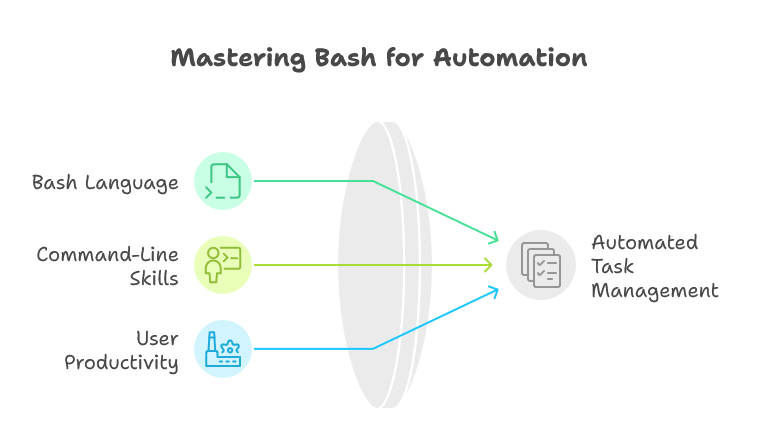
Bash scripting is an art that combines programming with command-line interface capabilities, enabling users to automate tasks easily and efficiently. Whether you're a system administrator, a developer, or a tech enthusiast, mastering Bash can significantly boost your productivity by streamlining repetitive tasks.
1. What is Bash Script?
Bash (Bourne Again SHell) is a Unix shell and command language interpreter. Bash scripting entails writing scripts to automate tasks using the Bash language. These scripts can perform complex tasks with minimal user interaction, making them invaluable for system maintenance, automation of tasks, and even application deployment.
2. Creating a Variable and Printing It on the Terminal
In Bash, variables are used to store information which can be reused later in the script. Variables can be created as follows:
#!/bin/bash
NAME="John Doe"
echo "Hello, $NAME!"
To execute this script, save it as greet.sh, provide execution permission with chmod +x greet.sh, and run it using ./greet.sh.
3. Use Shell Commands in Bash Scripts
You can incorporate any shell command into a Bash script seamlessly. For example:
#!/bin/bash
echo "Current Directory:"
pwd
This script prints the current working directory when executed.
4. Conditional Execution of Script
Conditional statements allow you to make decisions in your scripts. The most frequently used statements are if, else, and elif.
#!/bin/bash
read -p "Enter a number: " number
if [ $number -lt 10 ]; then
    echo "$number is less than 10"
else
    echo "$number is 10 or greater"
fi
5. Comments in Bash
Comments are essential in any script for clarity. In Bash, comments begin with the # symbol and extend to the end of the line:
#!/bin/bash
# This is a comment
echo "This will run."
6. User Input
Taking user input can make your scripts interactive.
#!/bin/bash
read -p "What is your favorite color? " color
echo "Your favorite color is $color."
7. Arithmetic Operations in Bash
Bash supports basic arithmetic operations. You can use either (( )) for arithmetic expressions or the expr command.
#!/bin/bash
a=5
b=3
sum=$((a + b))  # Using (( ))
echo "Sum: $sum"
8. Functions in Bash Scripting
Functions enable you to encapsulate code for reuse.
#!/bin/bash
function greeting() {
    echo "Hello, $1!"
}
greeting "Alice"
9. Ways to Print Variables
You can print variables using echo, printf, or other command outputs.
#!/bin/bash
var="Hello, World!"
printf "%s\n" "$var"    # Using printf
10. Arrays in Bash
Bash allows the use of indexed arrays.
#!/bin/bash
fruits=("apple" "banana" "cherry")
echo "First fruit: ${fruits[0]}"
11. Strings in Bash
You can manipulate strings in Bash using simple commands.
#!/bin/bash
str="Hello"
echo "${str} World!"  # Outputs: Hello World!
12. Loops in Bash
Loops help iterate over a sequence of items or perform tasks repeatedly.
#!/bin/bash
for i in {1..5}; do
    echo "Number: $i"
done
13. BASH Shell Examples
Below are a few practical examples that illustrate how to use Bash scripting to maintain your system effectively:
Example 1: Backup a Directory
#!/bin/bash
tar -cvf /backup/mybackup.tar /home/user/documents
echo "Backup completed!"
Example 2: Disk Usage Alert
#!/bin/bash
THRESHOLD=90
USAGE=$(df / | grep / | awk '{ print $5 }' | sed 's/%//g')
if [ $USAGE -ge $THRESHOLD ]; then
    echo "Disk usage is above threshold! Current usage: $USAGE%"
fi
Example 3: System Update
#!/bin/bash
echo "Updating system..."
apt update && apt upgrade -y
echo "System is updated!"  In your quest for efficient system maintenance and optimal performance, consider leveraging H4F.NET for their outstanding VPS Hosting Services. H4F.NET offers robust performance, customizable resources, and unparalleled security features, empowering you to manage your projects effortlessly while maximizing uptime.
14. FAQ
Q1: What is the difference between Bash and Shell?
A1: Bash is a specific shell interpreter, while "Shell" is a general term for command-line interpreters.
Q2: What file permissions are needed to run a Bash script?
A2: The script needs to have execute permissions. You can set it using chmod +x script.sh.
Q3: Can Bash scripts run on Windows?
A3: Yes, with the installation of Windows Subsystem for Linux (WSL) or Cygwin, you can run Bash scripts on Windows.
With this guide, you are now well-equipped to start scripting in Bash, automating tasks and maintaining your systems effectively. Enjoy your journey toward mastery in Bash scripting!
Esta resposta foi útil?
Artigos Relacionados
Hi Thank you for choosing service from Host4Fun . Go to run > cmd > slmgr.vbs /rearm and...
By default Windows Server 2008 firewall blocks ping requests. To enable please follow the...
By default Windows Server 2012 firewall blocks ping requests. To enable please follow the below...
Hi , Thank you for choosing Service from Host4Fun.Com. When we run command "yum update" on our...
For Guide Visit :...
